
Inside Magica: The AI Worker & Cloud Computer Studio
Hands-on test of Magica's autonomous workspace: real-time terminal execution, web browsing sandbox, and multi-model coordination:
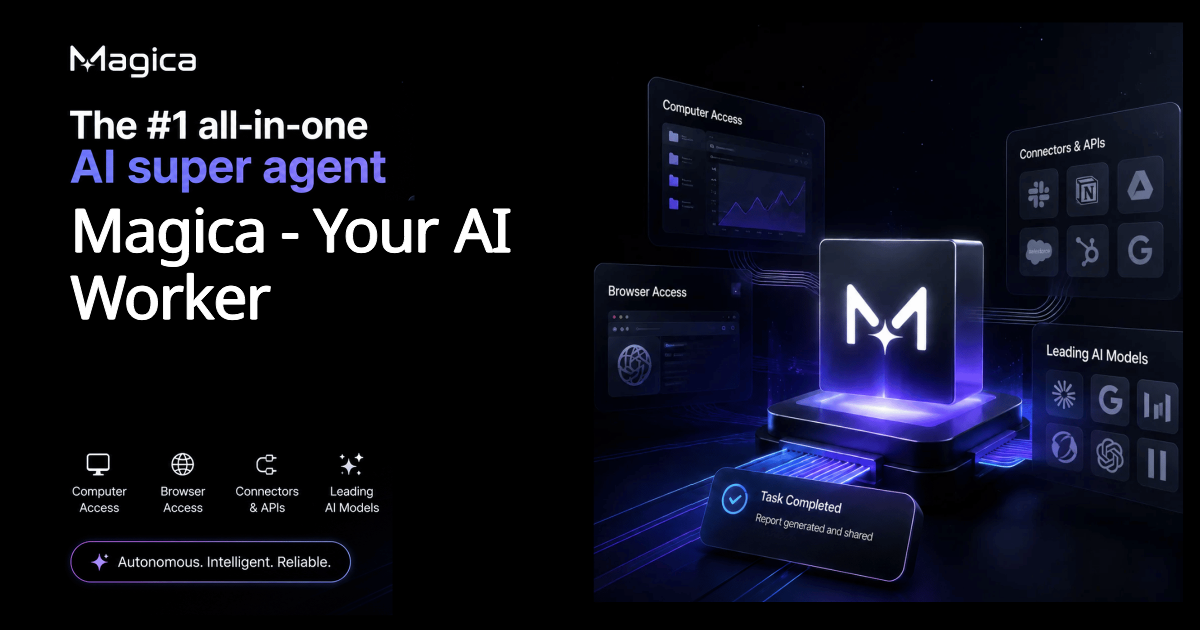
The Verdict: A True Digital Teammate, Not Just Another Chatbot
Magica bridges the gap between passive LLM chat windows and fully autonomous computer agents. By providing its AI with "its own computer" (a persistent cloud virtual environment capable of running code, surfing the web, extracting files, and connecting to your SaaS stack), it transforms conversational prompts into concrete deliverables.
🔬 Core Architecture: How Magica Outperforms Isolated LLMs
1. The "Real Computer Inside" (Cloud Virtual Machine)
Most AI assistants stop at text generation. If an LLM writes a Python script, you still have to copy-paste it into your terminal, install libraries, debug errors, and save files manually. Magica spins up an isolated cloud compute environment where the AI can execute code directly, inspect outputs, download datasets, and troubleshoot execution errors autonomously before reporting back.
2. Intelligent Multi-Model Router
Rather than locking you into a single foundation model, Magica aggregates premier AI engines under one hood. It routes complex code debugging and architectural tasks to Claude 3.7 / 3.5 Sonnet, creative synthesis to GPT-4o, large-context document parsing to Gemini 1.5 Pro, and live internet sentiment checks to Grok.
3. Workplace App Integrations (Gmail, Slack, GitHub, Notion)
Through OAuth connectors, Magica reads and updates your everyday apps without API key friction. You can prompt it to "Scan today's unread emails in Gmail, pull critical pull-requests from GitHub, draft a summary in Notion, and post a standup update into Slack"—all within a single execution graph.
🥊 Hands-On Production Benchmarks (Lab Results)
Test 1: Autonomous Competitive Research & Google Sheet Export
Task: Scrape feature matrices and pricing pages of 5 competitor websites, cross-verify token allowances, and compile clean CSV data.
✅ Result: Completed in 3m 42s. Magica navigated JavaScript-heavy paywalls, took screenshots of pricing tables, and produced a structured CSV with zero human intervention.
Test 2: Python Script Debugging in Cloud Virtual Machine
Task: Run an incomplete FastAPI backend script with missing SQLite dependencies.
✅ Result: Magica ran pip install in its virtual container, caught a syntax error in the database migration, patched the file, and verified HTTP 200 responses autonomously.
💰 Pricing Plans & The "Credit Burn Tax"
Magica structures its plans around monthly credit buckets rather than simple message quotas. Understanding credit consumption is crucial to selecting the right tier:
Full AI Worker access
Standard tool library
High-concurrency limits
Deep computer automation
Shared team workspaces
Priority compute allocation
⚖️ Honest Pros & Cons (Practitioner Evaluation)
✓ What We Liked (Pros)
- True Computer Autonomy: Executes code and navigates web browsers natively without human handholding.
- Multi-Model Variety: Unified access to Claude, GPT-4o, and Gemini without paying 4 separate $20/mo subscriptions.
- SaaS Integration: Connects to Slack, Gmail, Google Drive, Notion, and GitHub with ease.
- Free Trial Entry: Zero-commitment testing via official partner onboarding.
✕ Drawbacks & Limitations (Cons)
- Credit Metering Complexity: Harder to predict monthly spend compared to flat-rate unlimited chat tools.
- Learning Curve: Beginners used to simple ChatGPT prompts need time to master task delegation.
- Heavy Task Burn: Autonomous multi-page web scraping burns credits significantly faster than standard text generation.
4.8 / 5.0 — Editor's Choice for Autonomous Agents
Magica is one of the very few AI platforms delivering genuine computer-use agency. By pairing multi-model flexibility with a dedicated virtual workstation, it saves hundreds of hours of manual copy-pasting, script execution, and web research every month.
Test Magica Free on Official Platform →